notebooklm提示词用来生成AI 信息图表(Infographics)
NotebookLM 中这些提示词的作用Google 的 NotebookLM(一个 AI 笔记工具)支持生成 AI 信息图表(Infographics)、视觉摘要、幻灯片(Slide Decks)或视频概述(Video Overviews)。在生成这些视觉内容时,用户可以通过自定义提示词(Custom Style Prompts)来控制输出风格,包括颜色调色板、布局、字体、图标类型、整体美学等。这些提示词就是自定义视觉风格的描述,它们告诉 AI 如何设计信息图表的“外观和感觉”。NotebookLM 默认有几种内置风格,但用户可以输入详细的自定义提示来创建更个性化的视觉效果(如专业、趣味、教育或未来感)。你列出的这些提示词,正是社区用户常用或分享的自定义风格提示示例,用于生成不同主题的信息图表。它们不是生成内容的主体提示,而是附加的“风格指导”(通常在生成信息图表的界面中,有一个输入框或铅笔图标来添加这些)。
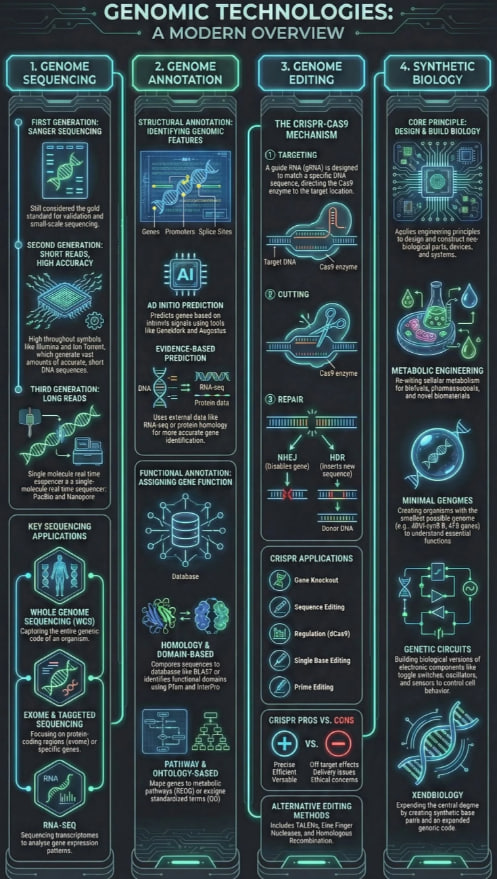
Professional looking specalise for utility not for fun
Clean Swiss Minimalist. Use a high-contrast monochrome palette (black, white, and slate grey), strict grid alignment, and geometric, technical iconography. Avoid cartoons or hand-drawn elements.
Not found [Sorry I was unable to find this one]
Professional minimal designing
Technical Blueprint, Logic and Relationships, Swiss Minimalist.
Vertical Winding Timeline. Focus on Chronological Progression. Flat Vector Minimalist style. Use a monochromatic cool-tone palette (Cyan, Teal, Slate Blue), central path layout, and clean sans-serif typography. Simple flat icons, no complex shading.
Create a 'sketchnote' style infographic that looks like it was drawn on a whiteboard. Use a handwritten font style, arrow doodles, and marker-style colors
Use a dark mode theme with neon accents (cyberpunk aesthetic). Dark grey background with glowing green and purple highlights. Use futuristic, angular fonts.
Design a fun, colorful infographic suitable for students. Use pastel colors, rounded shapes, and simple illustrative icons to represent the main points.